
How to sign documents digitally
Documents can come back signed in minutes rather than days, and every one carries an Adobe-trusted seal. Here's how it works.
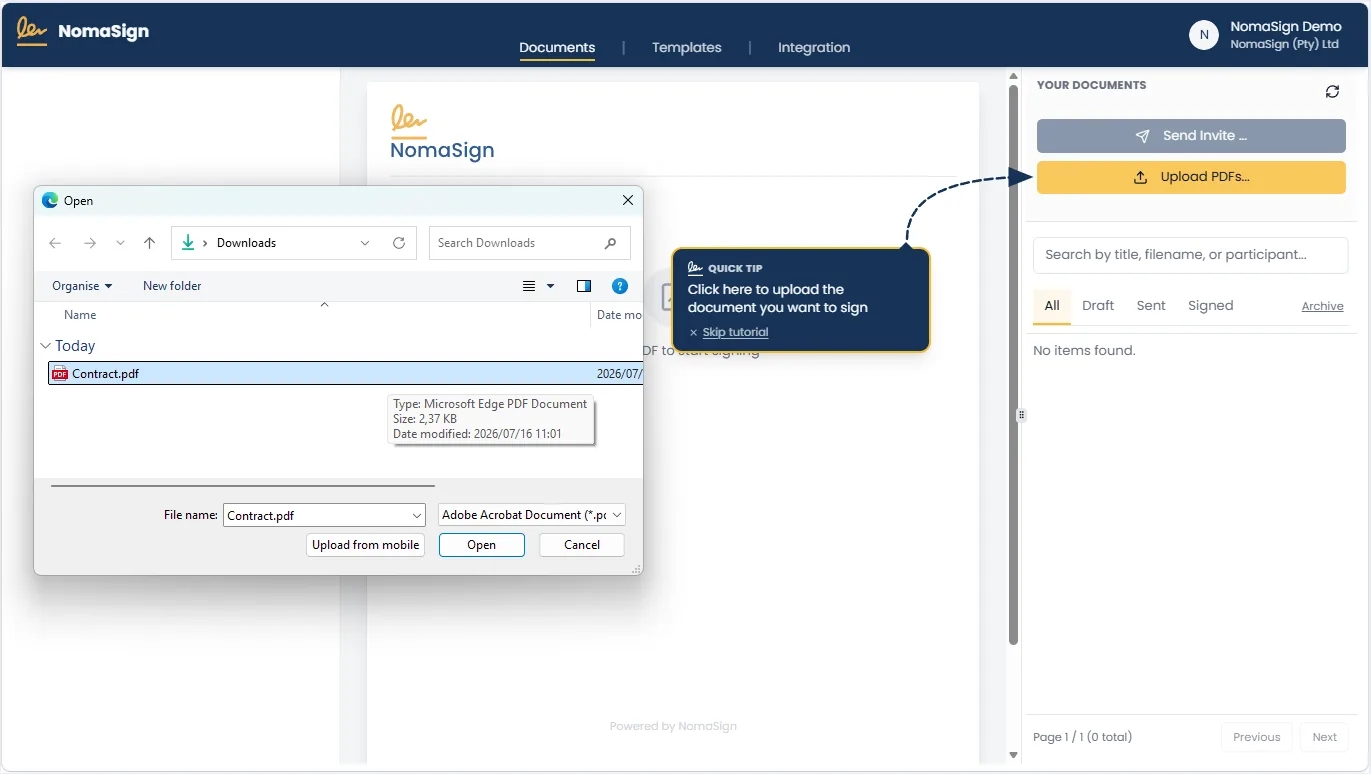
Upload your document
Upload a PDF from your computer, OneDrive, or Google Drive, or add one straight from your browser with our Chrome and Edge extension. One signing request can hold several documents, so a contract and its annexures go out together.
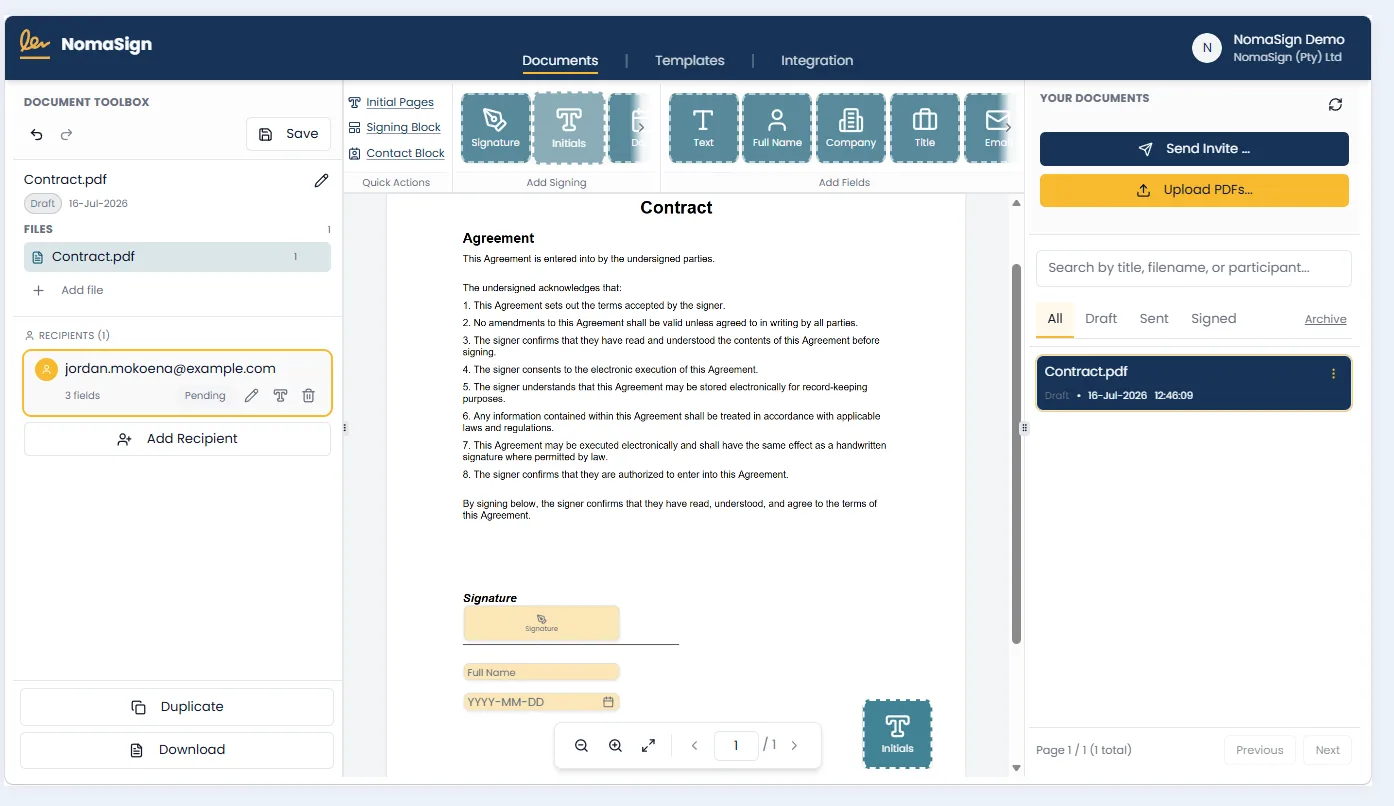
Add signers and fields
Enter the email addresses of everyone who needs to sign, then drag signature, initials, name, and date fields onto the document. Send the same NDA every month? Save it as a template and the next send takes under a minute.
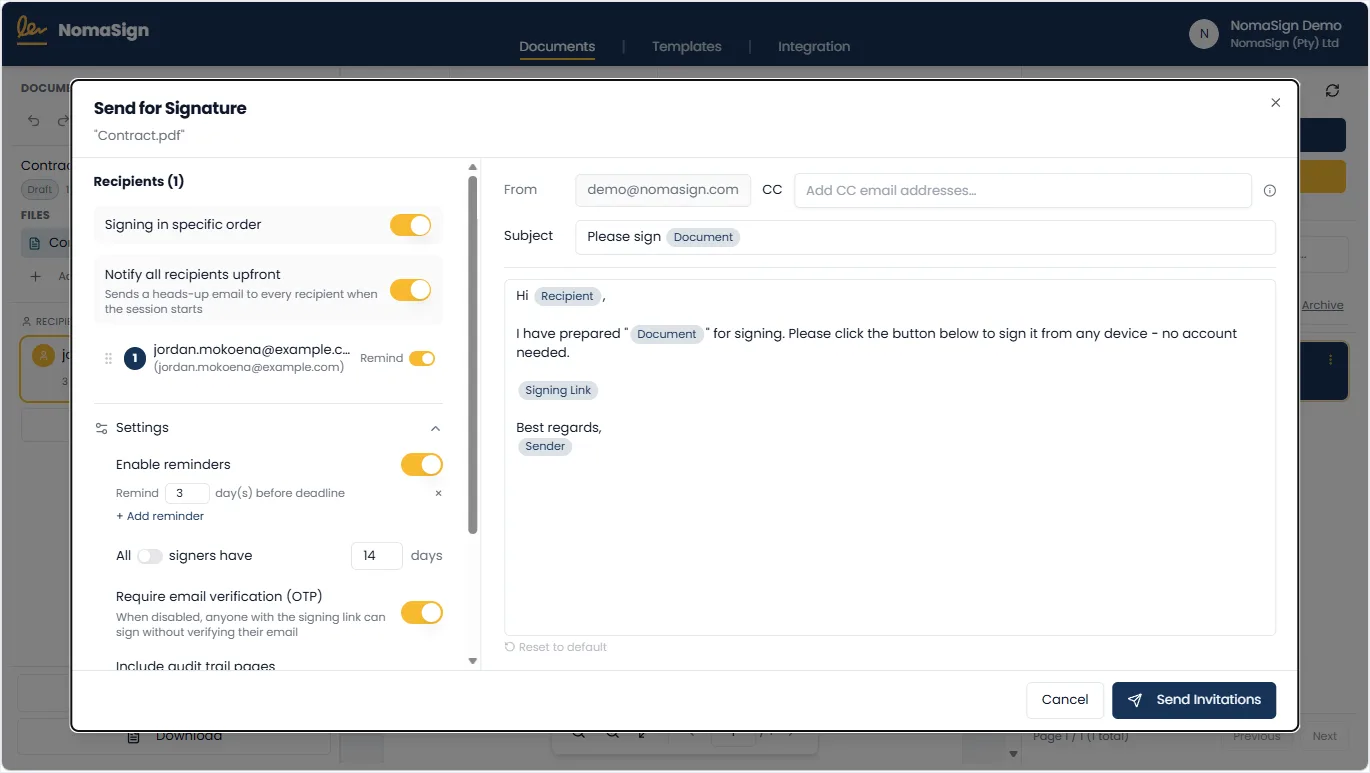
Send, sealed the moment you click
This is the step we're proudest of. The moment you click send, your document is certified and sealed with our Adobe-trusted certificate, before anyone has signed. After that, the only thing anyone can do to it is sign. Any other change visibly breaks the seal. Invitations go out from your own Microsoft 365 or Google Workspace mailbox, so they land in inboxes rather than spam, and signing order, reminders and email verification are your call.
Signers sign in seconds
Your signer clicks the link, reads the document in their browser and signs by typing, drawing or uploading a signature. They don't need an account or an app, and it works fine on a phone. Each signature is added as its own sealed, timestamped revision of the document.
More on signing without an account →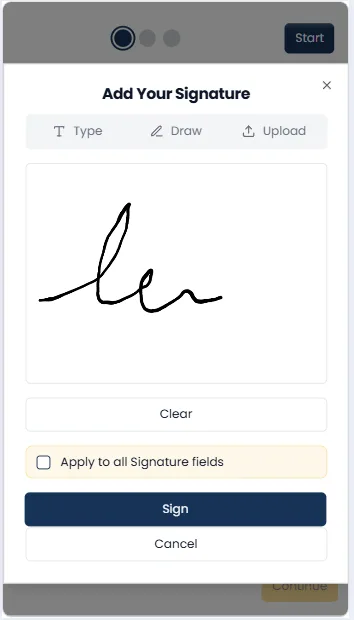
Done, and provably done
When the last person signs, NomaSign closes the document with an independent trusted timestamp and saves it to your OneDrive or Google Drive. Open it in Adobe: a banner confirms the document is certified and all signatures are valid.
Verify a real signed document yourself →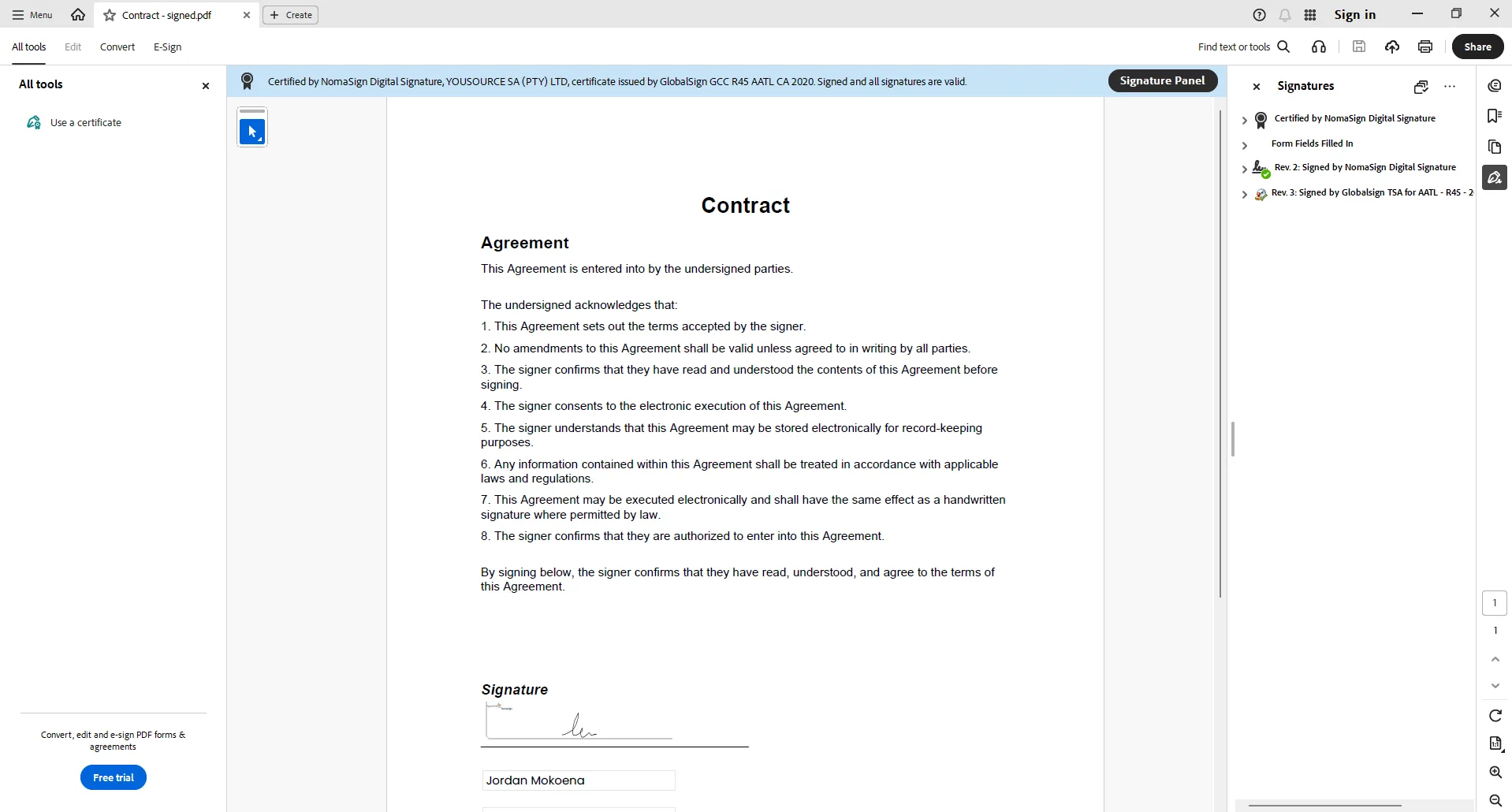
New to digital signing? Read the small business guide.
Why use e-signatures?
Paper still works. It's just slow, and it leaves you with very little proof of who signed what.
Faster turnaround
Get documents signed in hours, not days or weeks. Nobody waits for a courier, and you spend far less time chasing people.
More secure
A handwritten signature tells you very little. Electronic signing records when someone signed, from which IP address and on what device, which makes for a much stronger evidence trail.
Sign from anywhere
Signers can review and sign documents from any device, anywhere in the world. No printer or scanner needed.
Legally recognised
Electronic signatures are recognised in many jurisdictions (for example, ESIGN/UETA in the US and the ECT Act in South Africa). A few document types are excluded, though, and the rules differ between countries.
Environmentally friendly
Less printing means less paper and toner, and nothing has to be couriered across town.
Easy organisation
Signed documents land in your own cloud storage automatically, so finding last year's contract is a quick search.
What makes NomaSign different?
Signing should be quick for your clients and hold up if anyone ever questions it. These are the parts that make that happen.
Sealed the moment you send
We certify your document before anyone signs it. Each signature is then added as its own sealed, timestamped revision, so you can trace exactly what the document looked like at every step. Adobe Acrobat Reader checks all of this on your own computer. Verify it yourself.
Your documents, your cloud
Signed documents are saved in your own OneDrive or Google Drive, alongside the rest of your business files. Your existing sharing rules and backups apply to them from day one.
Emails from your domain
Signing requests come from your own email address on your own domain, not a no-reply address nobody recognises. People open mail from someone they know, and it's far less likely to end up in spam.
Unlimited documents
Send hundreds of documents under our fair-use policy without worrying about usage limits or unexpected charges.
Simple, transparent pricing
One fee, paid monthly or annually, from R99 a month with no hidden costs. Switching from another provider mid-contract? Ask about our buy-out offer.
Certificate agnostic (AeS & QeS)
Use certificates from your chosen commercial CA or government root CA. AeS and QeS depend on the signer or organisation supplying the right certificate; NomaSign provides the signing application and applies the signature with it.
Frequently asked questions
Are electronic signatures legally valid?
Sources: ECT Act 25 of 2002 (gov.za), US ESIGN Act, Public Law 106-229 (govinfo.gov), EU eIDAS Regulation 910/2014 (EUR-Lex)
Does NomaSign support AeS and QeS?
Sources: ECT Act 25 of 2002 (gov.za)
Can NomaSign provide AeS and QeS certificates?
Sources: ECT Act 25 of 2002 (gov.za)
Where are my signed documents stored?
Do signers need to create an account?
What document formats can I send for signature?
Can multiple people sign the same document?
How do I know when someone has signed?
Ready to try digital signing?
Setting up takes a few minutes, and the 14-day trial doesn't need a credit card.