
Don't take our word for it
Download a real NomaSign(ed) document and verify it yourself: sealed before the first signature, every signature its own timestamped revision, checked by Adobe on your machine, not by us. Takes one minute, no account needed.
Open it in Adobe Acrobat Reader or Foxit PDF Reader (both free). Browser tabs don't check signatures; desktop readers do.
Three things you can verify in under a minute
Every claim below is checked by your PDF reader against independently issued certificates and timestamps. NomaSign is not part of the verification.
Sealed before anyone signed
The document was certified and locked the moment it was sent. Changing anything afterwards, other than signing, would visibly break the seal.
Every signature is a sealed revision
The reader shows exactly what changed and when, and lets you view the document as it stood at every step. Later signers provably signed over earlier ones.
None of the verification comes from us
The certificate chain is on the Adobe Approved Trust List, the closing timestamp comes from an independent authority, and your reader performs every check.
What you'll see
This is The Proof File open in Adobe Acrobat: the certification banner at the top, and the document's full life story in the Signature Panel.
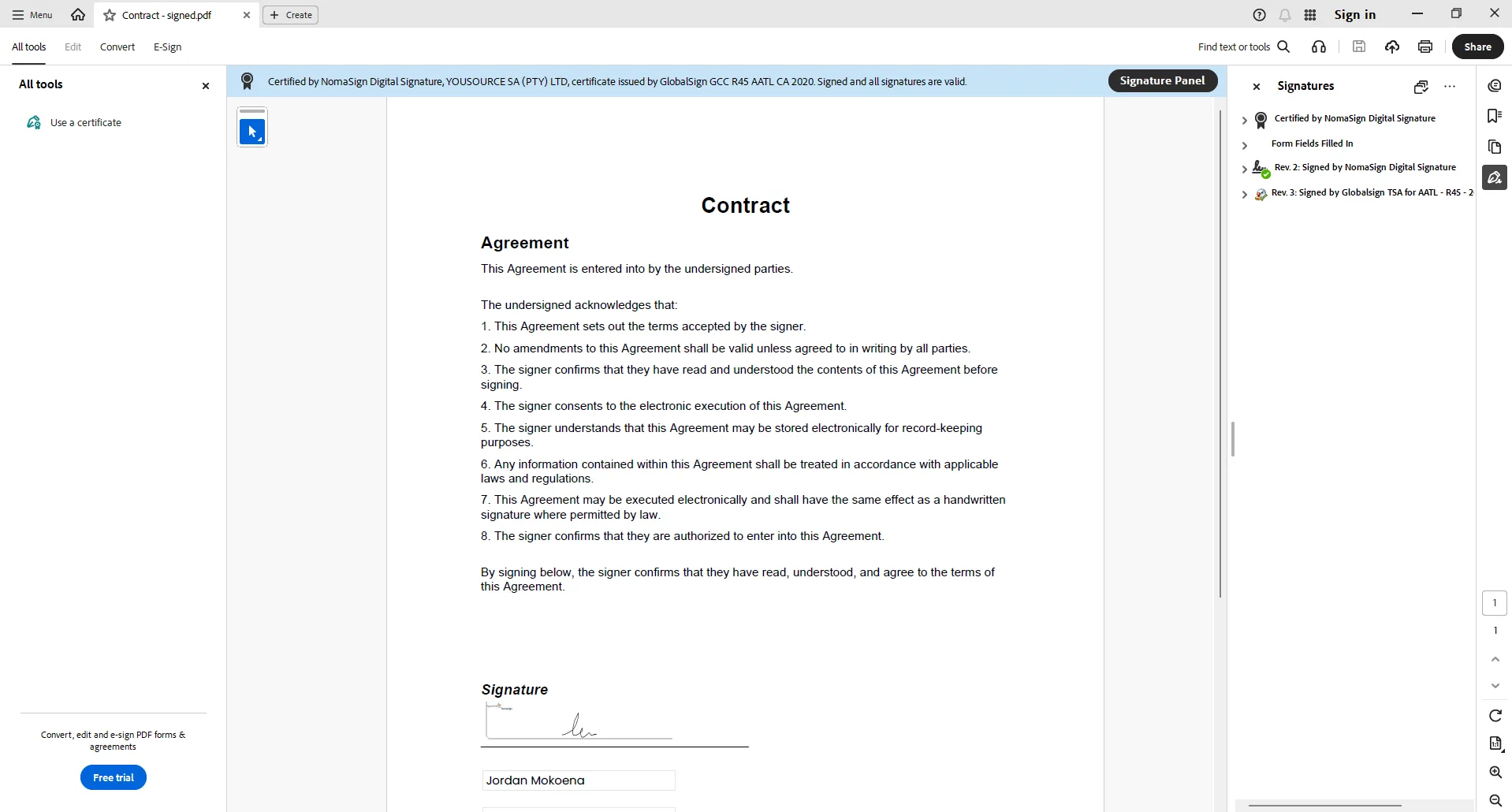
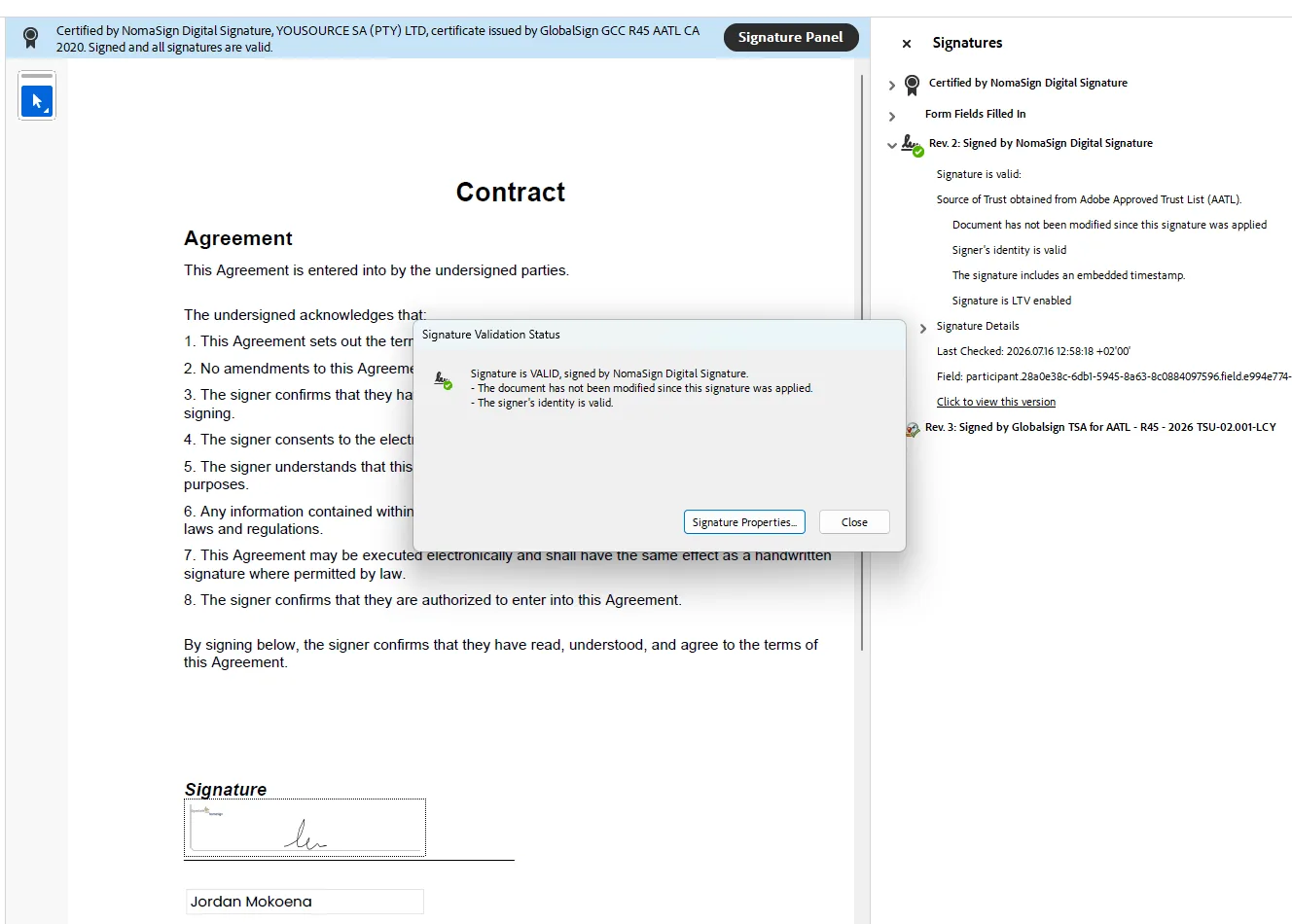
"The document has not been modified"
Adobe's words, not ours. Expand any signature in the panel and the reader confirms the document has not changed since that signature was applied, that the signature carries an embedded timestamp, and that the trust comes from the Adobe Approved Trust List.
Then go one further: sign The Proof File yourself with a certificate and watch a new sealed revision appear in the panel, on top of all the existing ones, without disturbing any of them.
A fair test for any e-signature provider
Comparing tools? Open each provider's finished document in Adobe and look at the signature panel. Ask when the document was first sealed, and by whom the evidence is verified. The differences are bigger than the brochures suggest, and this test takes a minute per provider.
See how NomaSign compares to DocuSign, Adobe Sign, and PandaDoc.
Want to go deeper?
Everything is a direct download. No forms, no gates: that would be a strange way to run a page about not having to trust us.
Security White Paper (PDF)
Evidence You Can Verify: the full sealing model, revision history, identity assurance, and standards. Written for IT and legal reviewers.
Evaluation Guide (PDF)
How to properly test a signing tool in 14 days, ours or anyone's. Includes the provider scorecard and the checks most evaluations skip.
Info Pack (PDF)
NomaSign in six pages: how it works, why it costs R99, who uses it, and pricing. Made to be forwarded to the person who decides.
Every NomaSign document gets this treatment
Unlimited documents from R99 a month, and your clients sign in seconds without creating an account.